MikroTik Certified Network Associate
The starting point for every MikroTik career. Learn RouterOS from first login to a working, secured network: addressing, DHCP, bridging, routing, wireless, firewall, queues and tunnels.
Professional MikroTik training, certification preparation, hands-on RouterOS labs, and practical networking tutorials for aspiring and experienced network professionals.
Start with MTCNA. It unlocks the engineer-level courses, and MTCRE unlocks the MTCINE inter-networking course.
The starting point for every MikroTik career. Learn RouterOS from first login to a working, secured network: addressing, DHCP, bridging, routing, wireless, firewall, queues and tunnels.
Go beyond default routes. Policy routing, recursive next-hops, tunnels, VLANs and OSPF design for networks that need resilient, predictable paths.
Point-to-point and point-to-multipoint wireless with RouterOS: RF tools, link troubleshooting, 802.11n tuning, security, WDS, mesh and MikroTik’s own Nstreme and Nv2 protocols.
Understand exactly how a packet moves through RouterOS, then control it: firewall filter, NAT and mangle, HTB queue trees, queue types, DNS, DHCP and web proxy.
Run subscriber and user access the way ISPs do: PPP profiles and secrets, PPTP, L2TP, PPPoE, layer-2 bridging over tunnels, IPsec, HotSpot and RADIUS with User Manager.
Plan and run IPv6 with confidence: addressing and subnetting, SLAAC and DHCPv6, the IPv6 header, neighbour discovery security, transition mechanisms and prefix delegation in RouterOS.
Tell us which course you are interested in and we will contact you as soon as the next batch is confirmed.
Notify me about the next class
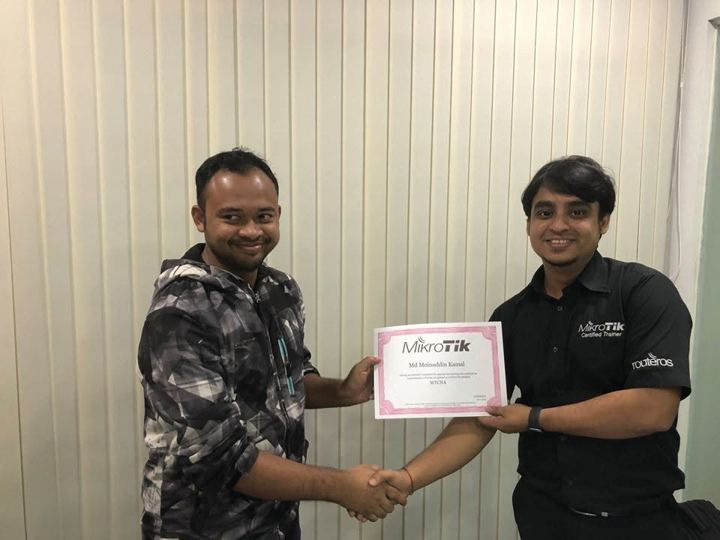
A MikroTik Certified Trainer since 2018 who also runs production networks day to day — so every class is grounded in how RouterOS behaves in real ISP and enterprise environments.
When to use a binary .backup file and when to use a text .rsc export, how to create both safely in RouterOS v7, and how to restore without surprises.
A minimal, readable input-chain policy that keeps management access on your LAN, plus the service and discovery settings that attackers look for first.
Connect a MikroTik router to an ISP that uses PPPoE: create the client, add NAT, clamp MSS, and work through the usual reasons a session will not come up.

Pick a course, join the next batch, or ask the trainer a question.